
Simple Technology Help for Seniors
Step-by-step guides for smartphones, computers, internet, email, and online safety, explained clearly and without confusing jargon.

Choose a Topic to Get Started
Whether you’re learning the basics or fixing a problem, start with the area that matches what you need help with.
Online Safety & Scam Protection
Learn how to avoid phone scams, fake emails, identity theft, and other online threats targeting seniors.
Smartphone Help
Step-by-step help for iPhone and Android settings, blocking scam calls, adjusting text size, and everyday phone use.
Computer Help
Step-by-step help for iPhone and Android settings, blocking scam calls, adjusting text size, and everyday phone use.
Internet & WiFi Help
Improve WiFi signal, fix slow internet, understand routers and modems, and choose the right internet plan.
Email & Messaging
Send emails, attach photos, delete spam, recover passwords, and spot phishing scams.
Everyday Digital Skills
Order groceries online, use Google Maps, scan QR codes, attend telehealth visits, and build digital confidence.
New to Technology? Start Here
If you’re just getting started, these beginner-friendly guides walk you through the basics step by step.
Latest Guides & Updates
Our most recent tutorials and safety articles to help you use technology with confidence.

Don’t Understand Something? Let AI Explain It (Step-by-Step for Beginners)
To have AI explain something you don’t understand, first open a trusted AI helper (like ChatGPT or...

How to Use AI to Write an Email (Step-by-Step for Beginners)
To use AI to write an email, open your email or web browser, go to an AI tool (such as ChatGPT or...

What Is AI? A Simple Explanation for Beginners
For most seniors and beginners, AI (artificial intelligence) simply means computer programs that...
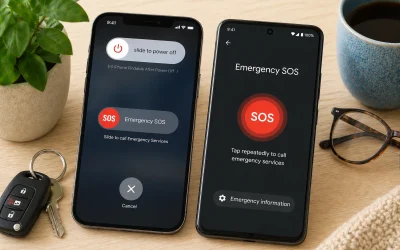
How to Turn On Emergency SOS on Your Phone (iPhone & Android Guide)
To turn on Emergency SOS on your phone, go to Settings, find Emergency SOS (or Safety & Emergency...

How to Post Photos on Facebook (Step-by-Step for Beginners)
To post photos on Facebook, open the Facebook app or website, tap “What’s on your mind?”, select...

How to Send a Message on Facebook Messenger (Step-by-Step for Beginners)
To send a message on Facebook Messenger, open the Messenger app or Facebook website, tap the...
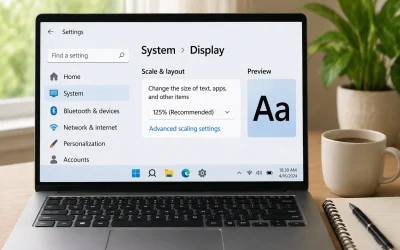
How to Make Text Larger on Your Computer (Easy Step-by-Step Guide)
Yes, you can usually make text larger on your computer using built-in settings, without buying...
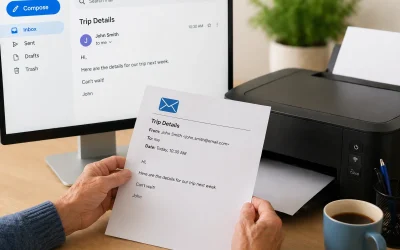
How to Print an Email (Step-by-Step for Beginners)
Yes, you can usually print an email, whether you use Gmail, Outlook, Yahoo, or another email...
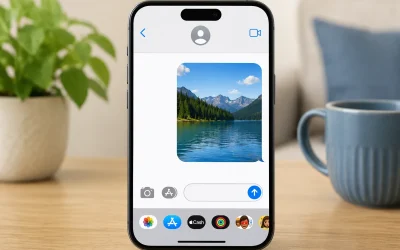
How to Send a Picture on iPhone (Step-by-Step for Beginners)
Yes, you can usually send a picture on an iPhone using the Messages app or Mail app, and this...

How to Tell If Someone Is Spying on Your Phone (5 Warning Signs)
Yes, someone can spy on a smartphone, but it is less common than many people fear. This guide is...
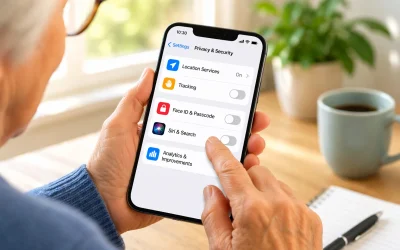
5 iPhone Settings to Turn Off for Better Privacy and Security
Yes, there are several iPhone settings you can safely turn off to improve your privacy and...

How to Send Funny GIFs on iPhone (Step-by-Step for Beginners)
Yes, you can send funny GIFs on your iPhone, and most seniors can learn this in just a few...
Why Seniors Trust Senior Tech Help
✔ Clear Step-By-Step Instructions
No confusing tech jargon.
✔ Practical, Real-World Help
Solutions for everyday problems.
✔ Beginner-Friendly Explanations
We explain what buttons to press and why.
✔ Safety-First Approach
Learn how to stay protected online.
Senior Tech Help provides straightforward tutorials designed specifically for seniors and beginners. Our goal is to make technology safer, easier, and less stressful, with clear guides you can follow at your own pace.